The Digital Evolution of the Shopping Trolley: Bridging Physical and Online Retail
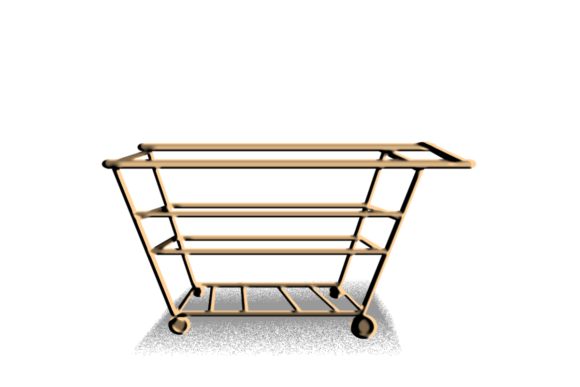
Walk into any supermarket, and you will see rows of metal carts waiting to be pushed. These trolleys for shopping are ubiquitous symbols of consumerism, designed with a singular purpose: to hold as much as possible while navigating narrow aisles. However, in the last two decades, this physical object has undergone a radical transformation. It has migrated from the concrete floors of grocery stores to the pixelated screens of our smartphones and laptops. Today, the shopping trolley is no longer just a wire basket on wheels; it is a critical user interface element that defines the success of modern e-commerce platforms.
From Metal Wire to Digital Icon
The transition of the trolley for shopping from a physical utility to a digital metaphor was not accidental. When online retail first emerged, designers faced a significant challenge: how to replicate the tactile experience of browsing and buying in a virtual environment. The solution was skeuomorphism—designing digital elements to resemble their real-world counterparts. The shopping cart icon became the universal signifier for "items selected for purchase."
This visual shorthand works because it leverages existing mental models. Users do not need to learn what a cart does; they already know. In a physical store, you place items in the trolley as you shop, reviewing your selection before heading to the checkout. Online, the digital trolley serves the exact same function. It acts as a temporary holding area, a decision-making buffer, and a final review station all in one. This familiarity reduces friction, allowing customers to focus on products rather than figuring out how to navigate the website.
The Psychology of the Virtual Cart
Understanding the trolley for shopping requires looking beyond its functional role. Psychologically, adding an item to a cart creates a sense of ownership. Even though the transaction is not complete, the act of clicking "Add to Cart" triggers a micro-commitment. This is why modern web design places such heavy emphasis on the cart interaction. A smooth, responsive animation when an item flies into the cart icon reinforces this feeling of acquisition.
However, this psychological hook is a double-edged sword. Cart abandonment rates remain notoriously high across the industry. Why? Because the digital trolley lacks the physical momentum of its real-world counterpart. In a supermarket, once you have filled a heavy trolley, you are motivated to finish the task to relieve the physical burden. Online, there is no weight, no fatigue, and no social pressure from a queue behind you. Leaving items in a digital cart costs nothing but server space. Therefore, the design of the shopping trolley interface must actively combat inertia by providing clear value propositions, such as saved items for later or transparent shipping costs upfront.
Key Functions in Modern E-Commerce Workflows
In contemporary web development, the shopping trolley is far more sophisticated than a simple list of SKUs. It is a dynamic engine that drives conversion optimization. Here are the essential characteristics that define a high-performing digital trolley:
- Real-time Updates: Modern users expect instant feedback. When quantity is adjusted, prices, taxes, and totals must recalculate immediately without reloading the page.
- Persistence: If a user closes their browser or switches devices, the items should remain in the trolley for shopping. This continuity is vital for multi-device shopping journeys.
- Transparency: Hidden fees are the primary killer of conversions. A well-designed cart displays shipping estimates, taxes, and discounts clearly before the checkout phase begins.
- Cross-selling Opportunities: The cart page is a prime location for suggesting complementary products. "Frequently bought together" items can increase average order value without disrupting the user’s primary intent.
These features transform the trolley from a passive container into an active sales assistant. For businesses, optimizing these elements is not merely a technical task but a strategic imperative. A clunky or confusing cart experience can undo months of marketing effort, causing potential customers to drop off at the final hurdle.
Design Considerations for Brochures and Catalogs
The influence of the trolley for shopping extends beyond standalone websites. Digital brochures, interactive PDFs, and online catalogs increasingly incorporate cart functionality. In these contexts, the trolley serves a different purpose. It often acts as a quote request mechanism or a bulk order form rather than an immediate checkout tool.
For B2B companies or wholesale distributors, the digital trolley allows clients to compile large lists of items over several days. The interface must support features like CSV uploads, quick reorder buttons, and tiered pricing visibility. Here, the trolley is less about impulse buys and more about logistical efficiency. Designers must ensure that the iconography remains recognizable even when the underlying workflow differs from standard B2C retail. Using the familiar cart symbol ensures that users intuitively understand where their selected items are stored, regardless of whether they are buying a single shirt or five hundred industrial valves.
Optimizing the User Journey
To maximize the effectiveness of a trolley for shopping, businesses must consider the entire user journey. The experience begins long before the user clicks the cart icon. It starts with product discovery and continues through selection, review, and payment. Each step must be seamless.
One common mistake is hiding the cart. Users should always be able to see how many items they have selected, typically via a badge on the cart icon in the navigation bar. Clicking this icon should reveal a mini-cart or sidebar summary, allowing users to check their total without leaving the current page. This non-intrusive approach respects the user’s browsing flow while keeping them informed.
Another critical factor is mobile responsiveness. With more than half of global e-commerce traffic coming from mobile devices, the shopping trolley must be optimized for small screens. Buttons need to be thumb-friendly, text must be legible, and the checkout process should require minimal typing. Features like guest checkout and digital wallet integration (such as Apple Pay or Google Pay) can significantly reduce friction on mobile devices, where entering credit card details is often cumbersome.
The Future of the Digital Trolley
As technology evolves, so too does the concept of the trolley for shopping. We are seeing the emergence of voice-activated shopping, where users add items to their cart using smart speakers. Augmented reality (AR) is also changing how items are visualized before they enter the cart. Imagine pointing your phone at a piece of furniture in your living room and adding it to your trolley with a gesture. These innovations suggest that the future of the shopping trolley is not just about storing items, but about enhancing the decision-making process itself.
Furthermore, sustainability is becoming a key consideration. Some platforms are experimenting with "green carts" that highlight eco-friendly alternatives or calculate the carbon footprint of the items selected. This adds a layer of ethical decision-making to the traditional utility of the trolley, aligning the digital experience with modern consumer values.
Practical Recommendations for Implementation
For businesses looking to improve their online presence, focusing on the trolley for shopping experience yields high returns. Start by auditing your current cart flow. Is it easy to remove items? Can users save items for later? Are shipping costs clear? Small tweaks can lead to significant improvements in conversion rates.
- Simplify the Interface: Remove distractions from the cart page. The primary goal is to move the user to checkout, not to browse new products extensively.
- Provide Reassurance: Display security badges, return policies, and customer support contacts near the checkout button to build trust.
- Test Continuously: Use A/B testing to experiment with different cart designs. Test button colors, placement of discount codes, and the wording of call-to-action buttons.
In conclusion, the trolley for shopping is a cornerstone of digital commerce. It bridges the gap between the physical and virtual worlds, leveraging familiar behaviors to facilitate complex transactions. By understanding its psychological impact, functional requirements, and design best practices, businesses can create a smoother, more engaging shopping experience that drives loyalty and sales. As retail continues to evolve, the humble trolley will remain at the center of the consumer journey, adapting to new technologies while retaining its core purpose: helping people buy what they need.